Stream from your phone
Use a supported phone as your camera and broadcaster, with StreamSponsor branding on your live video. iOS beta is available; Android is coming soon. Go Live and widgets depend on your plan.
Give your stream a look people recognize. Bring your branding, live information, chat, and supporter moments together in one broadcast overlay—managed from one dashboard.
No credit card required. Sponsors optional.
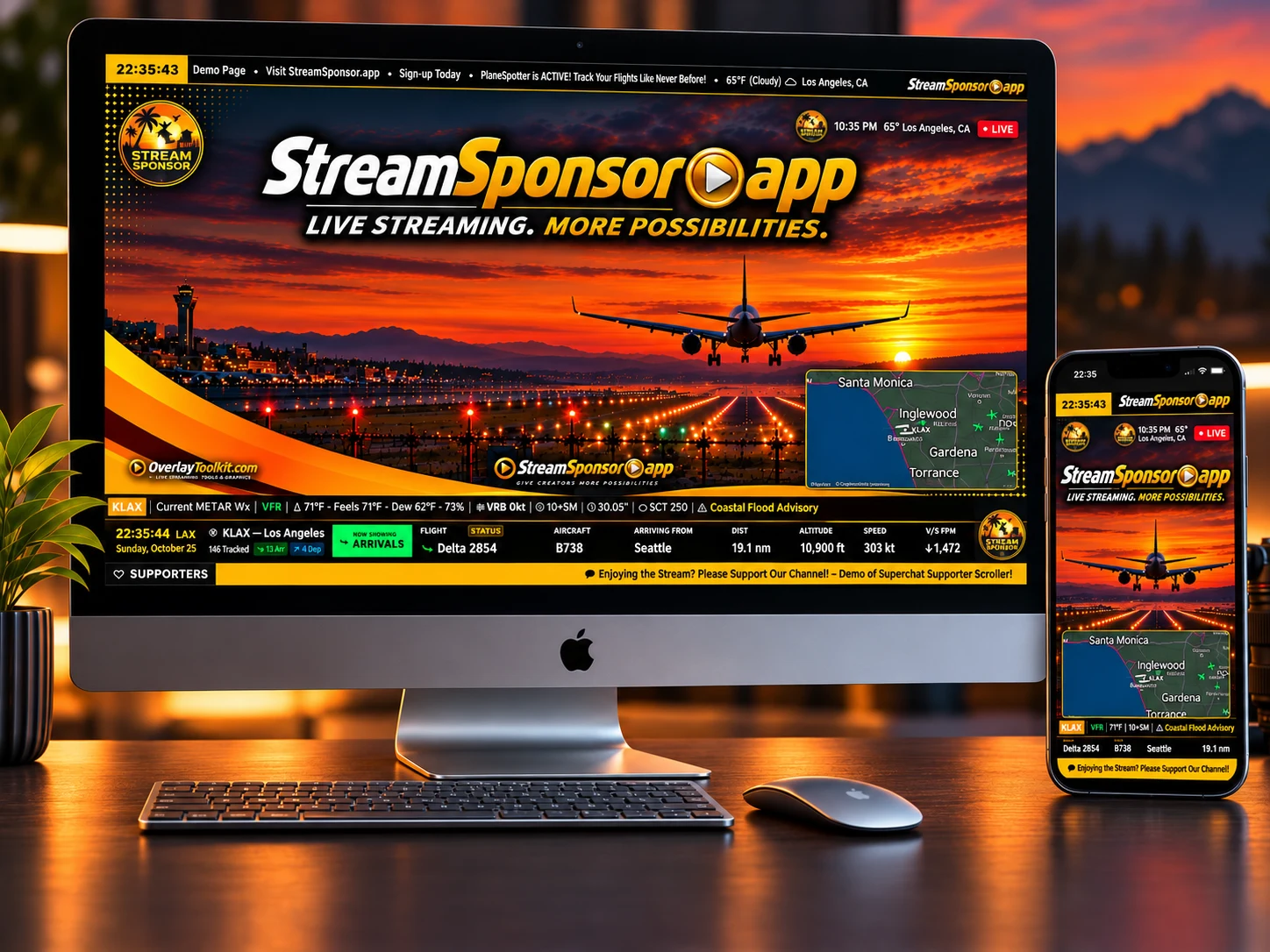
Use a supported phone as your camera and broadcaster, with StreamSponsor branding on your live video. iOS beta is available; Android is coming soon. Go Live and widgets depend on your plan.
Feed a webcam, mirrorless, or action camera into compatible broadcasting software or hardware. Add your StreamSponsor overlay URL as a Browser Source in OBS, Streamlabs, or another compatible browser-source setup. Or use the StreamSponsor app to connect your phone camera or a compatible action camera to your overlay, right from your phone—no OBS or CameraFi required!
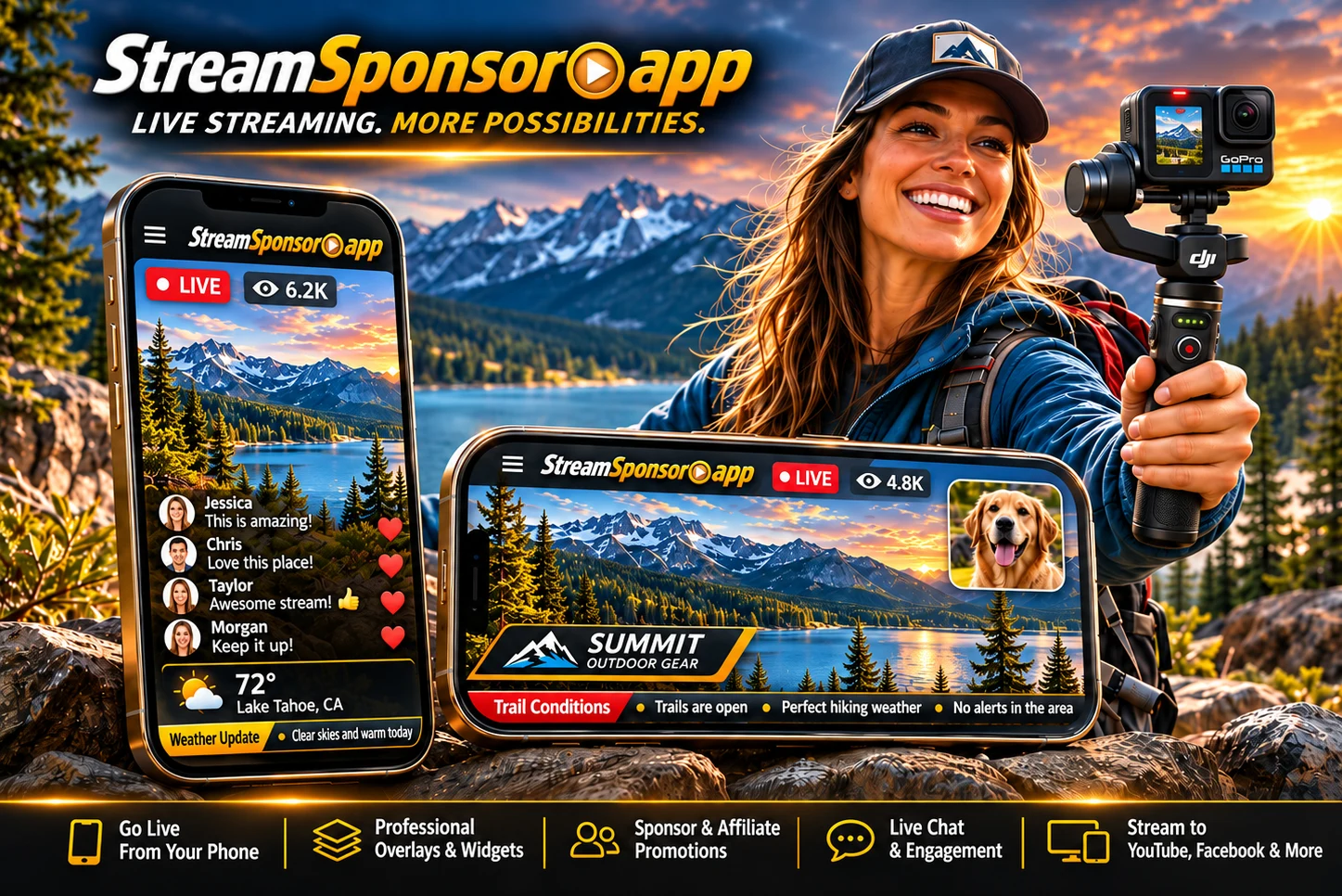
Your phone. Your stream. Your style.
Take your recognizable broadcast identity outdoors. Add professional overlays, sponsor logos, and live widgets to mobile broadcasts, in portrait or landscape.
Go Live and widgets depend on your plan.
Explore the iOS betaIllustrative sample content. Your messages and connected data appear on your broadcast.
The StreamSponsor mobile app is a broadcast encoder for supported phone-based workflows, with RTMP, SRT, and RTSP output options. Camera input compatibility depends on the device and setup; those outgoing protocols do not mean every action camera or Wi-Fi camera can feed into the app. Available broadcast features and destinations depend on your device and plan.
Take your full broadcast package mobile — sponsor rotation, tickers, alerts, and more. The iOS beta is open now, and Android access is opening shortly.
 Opening shortly
Want Android access as soon as it opens? Join the beta update list.
View supported platforms’ chat together, follow the conversation, and choose how messages appear on screen. Make your viewers part of the show, whether they’re asking a question, sharing a reaction, or supporting your channel.
NightOwlGamer This overlay is so clean!
StreamSetupPro How do the logos rotate like that?
PixelStormTV Works perfectly in OBS
GoLiveWithMike Exactly what I needed for FB streams
TechStreamDaily Love that Rumble chat shows up too
CozyCasterLive One feed for every platform
Keep your current streaming studio, or explore mobile broadcasting with StreamSponsor.
Sign up and organize your scenes on the dashboard. Add scrollers, chat, or sponsor blocks.
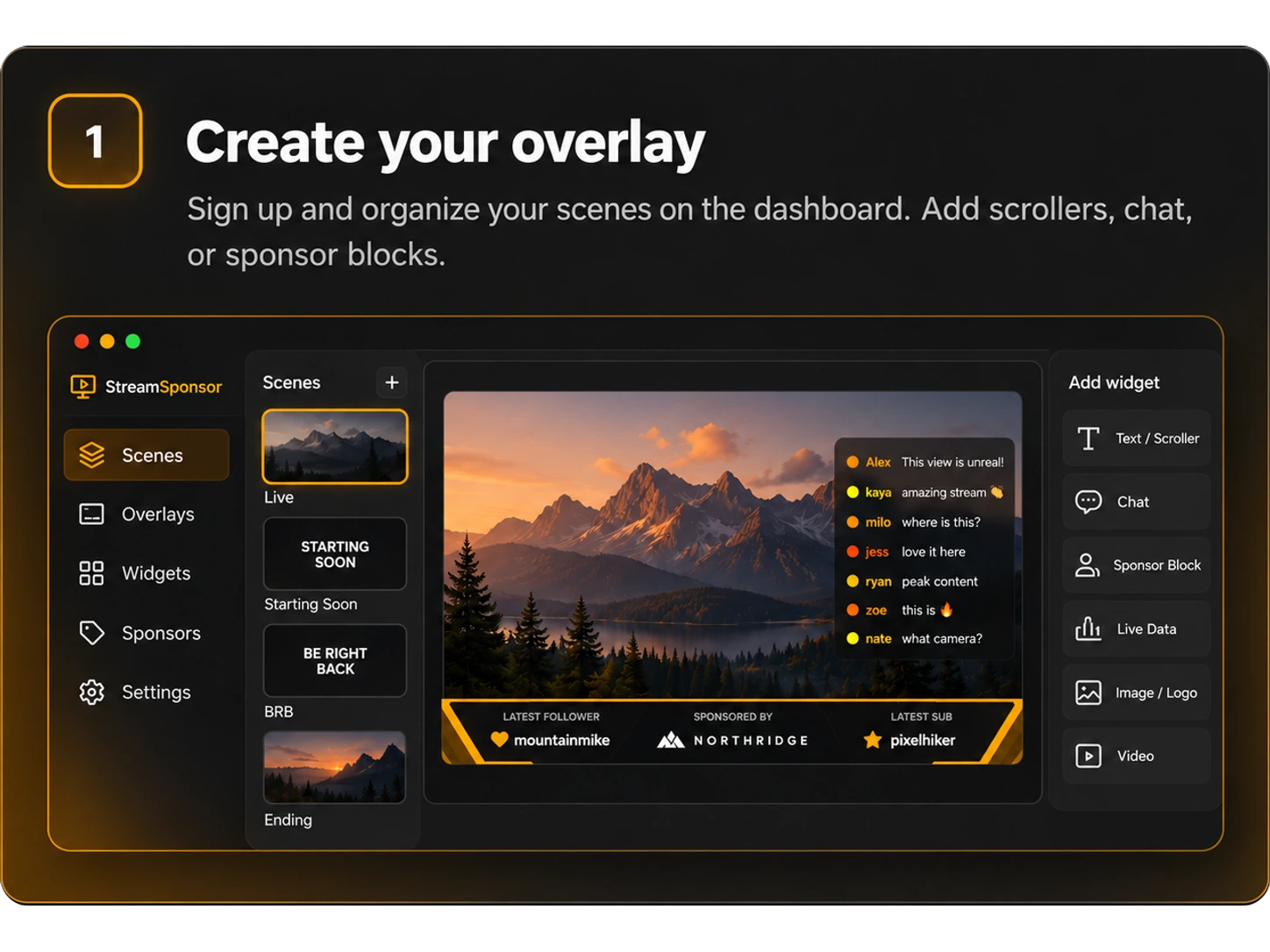
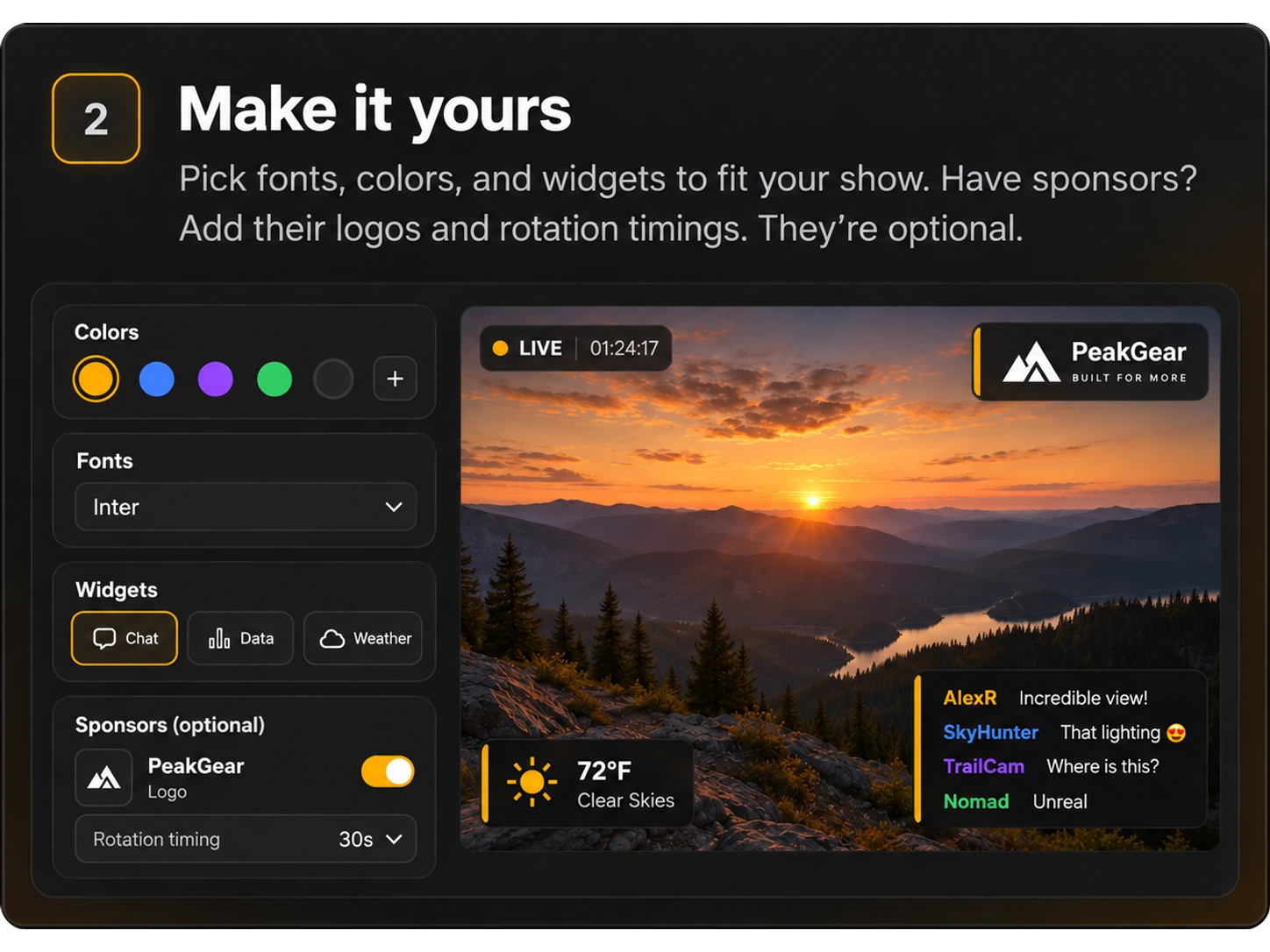
Pick fonts, colors, and widgets to fit your show. Have sponsors? Add their logos and rotation timings. They're optional.
Use StreamSponsor Go Live, or add your overlay to another compatible broadcast studio.
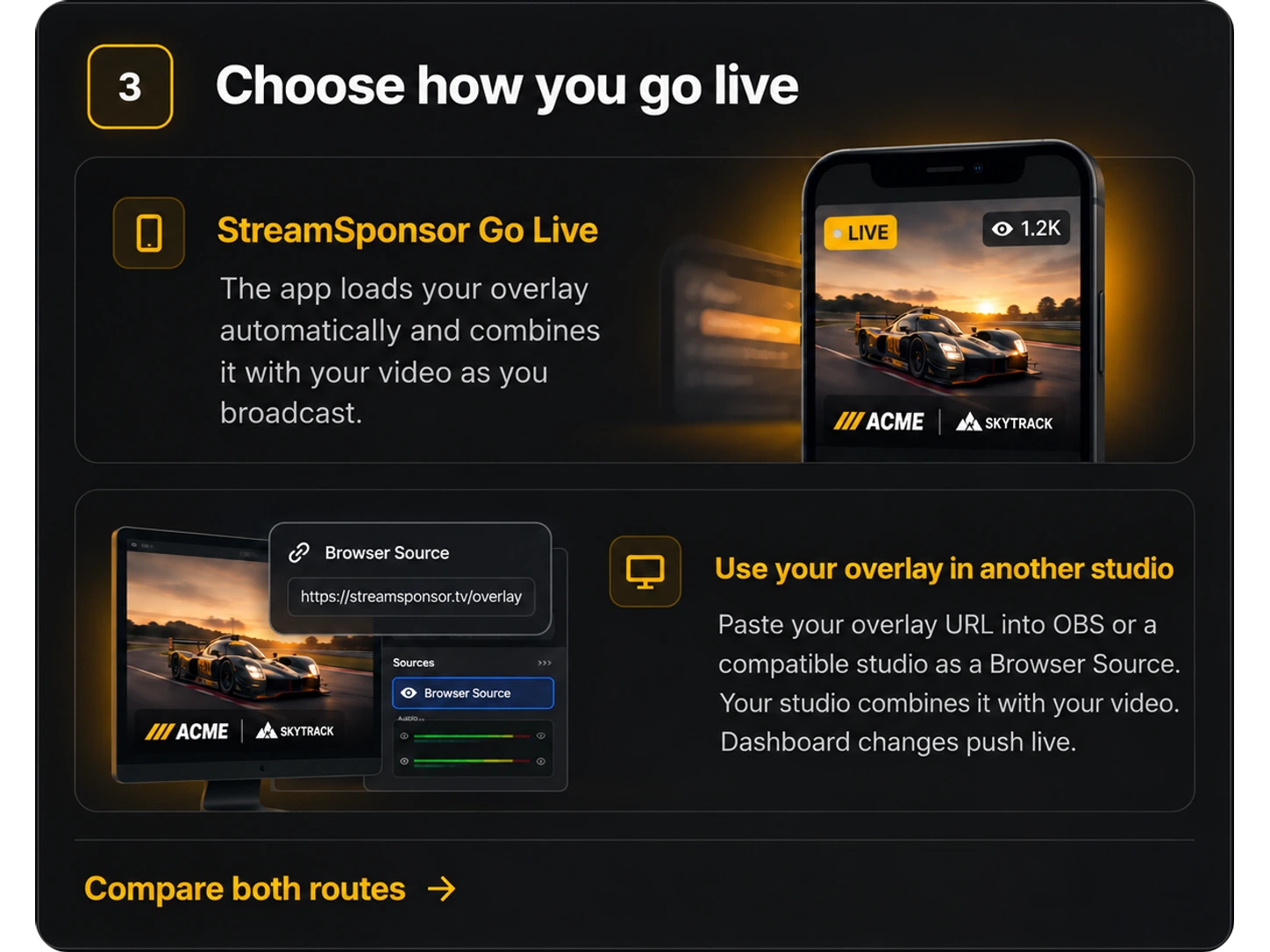 Compare both routes
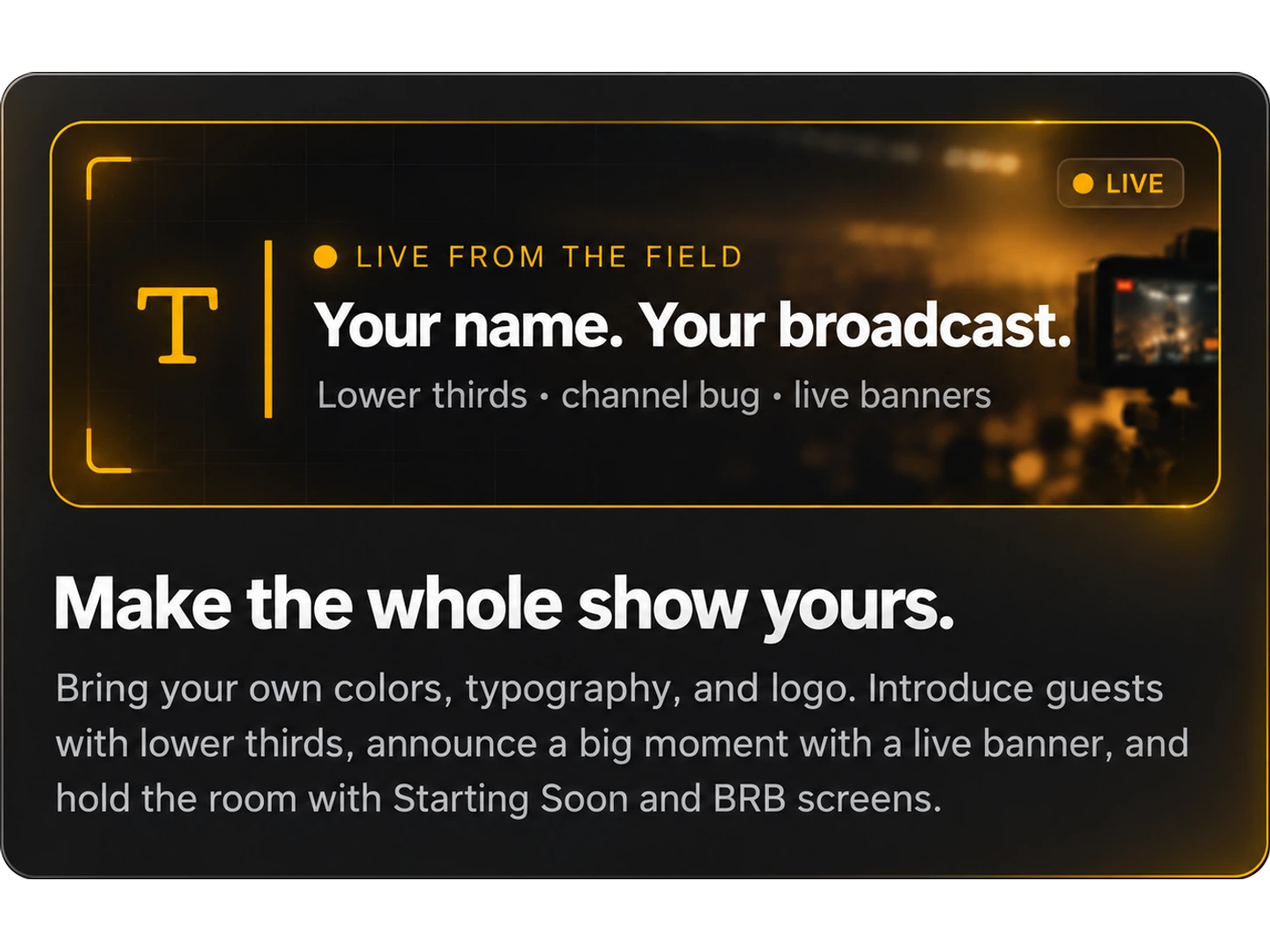
Bring your own colors, typography, and logo. Introduce guests with lower thirds, announce a big moment with a live banner, and hold the room with Starting Soon and BRB screens.
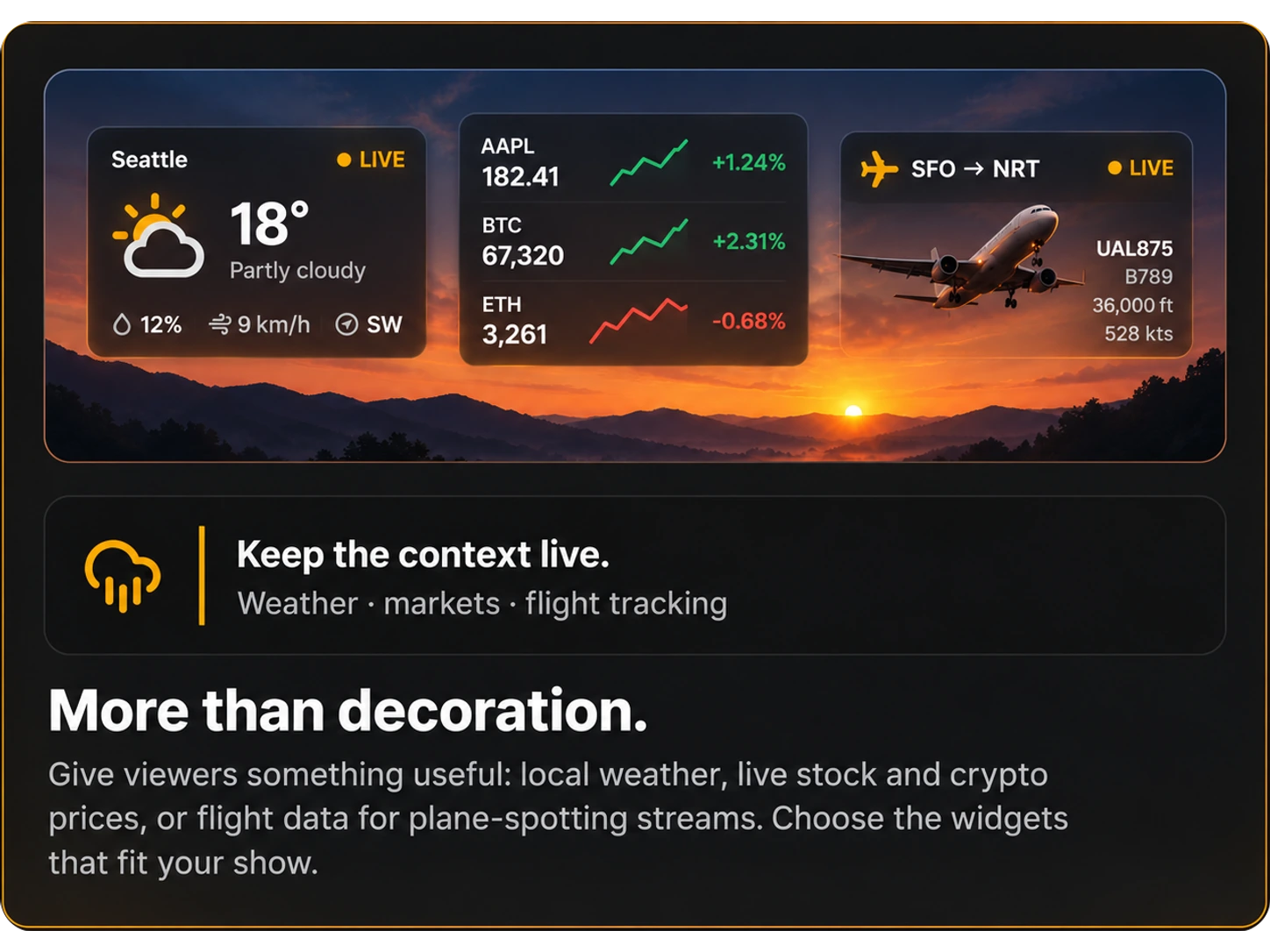
Give viewers something useful: local weather, live stock and crypto prices, or flight data for plane-spotting streams. Choose the widgets that fit your show.
Build your broadcast with custom overlays, live widgets, chat, and scrolling tickers—all managed from one dashboard.
Useful before your first sponsor. Ready when one arrives.You don’t need sponsors to get started.StreamSponsor is a broadcast toolkit—not a requirement to find brand partners. When you have sponsors, add their logos and manage their on-screen rotation alongside the rest of your show.Brand partnerships are optional and arranged directly between streamers and sponsors.
Logo-only supported · independent sizing · selectable areas · optional © text prefix
Visible attribution, not DRM or copy detection. Browser-overlay support; native encoded support remains unverified.
Explore Locker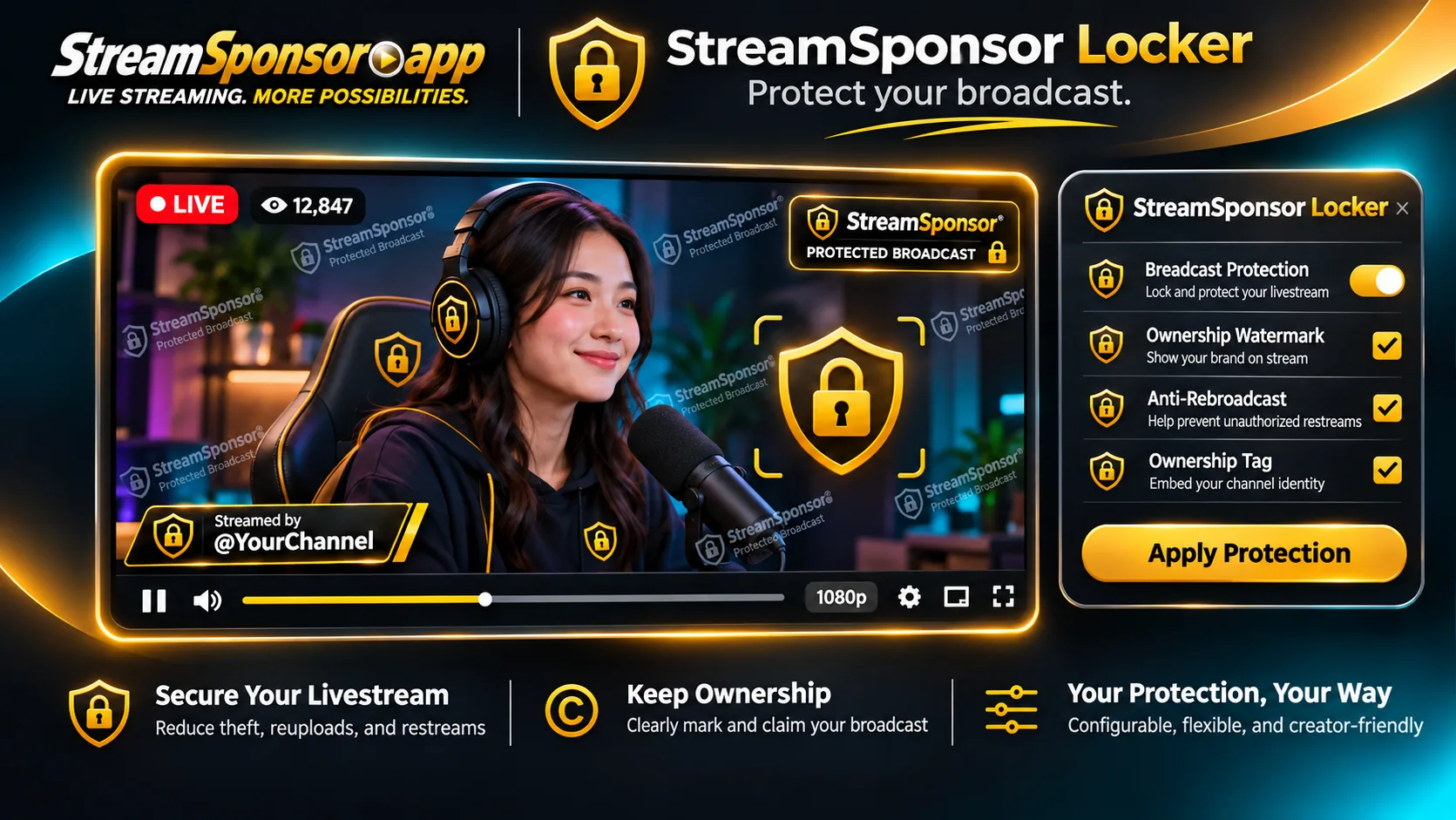
No password sharing · choose their controls · revoke access · review activity
Your widget plan still applies. This role does not grant billing, account settings, widget setup or scene switching.
Explore moderator access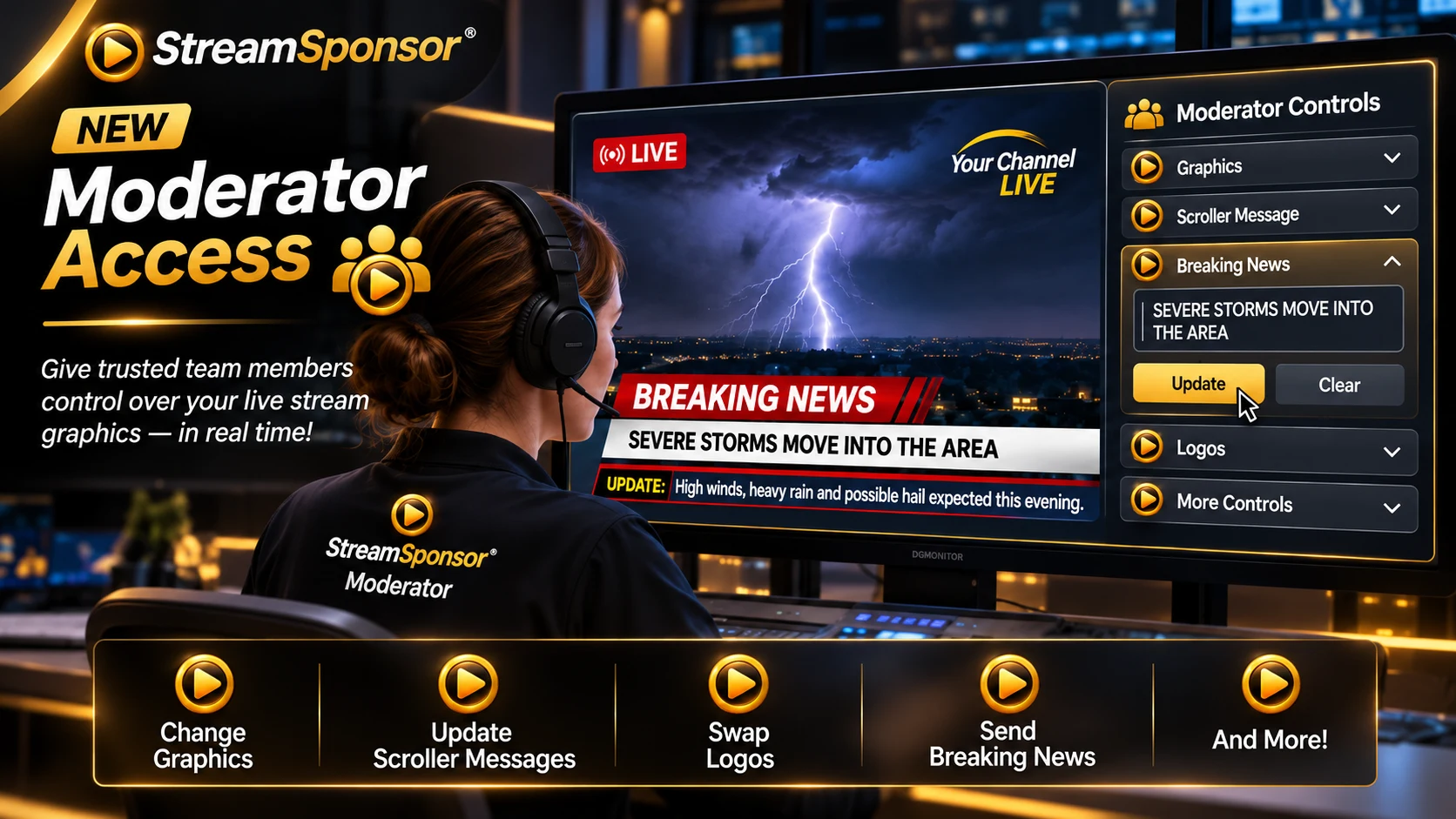
An optional planning tool, not a sponsorship offer or earnings promise.
Per Hour
$0.45
Per Stream
$1.35
Monthly
$18 – $32
Hypothetical only. These preset CPM assumptions are not quoted sponsor rates, and this tool does not match you with sponsors. Scenario uses a CPM assumption for Gaming ($4.50/1K impressions). Actual earnings depend on sponsor agreements, audience engagement, and negotiated rates. StreamSponsor does not guarantee any specific revenue.
For Brands & Sponsors
Create a free sponsor account, browse streamers, and send sponsorship inquiries directly to the creators you want to work with. Your logo goes live in their on-stream rotation the moment they accept.
Sponsorship is optional and arranged directly with creators. An account does not guarantee a partnership.
Explore branding, chat, scrollers, maps, and more. Open the catalog to see what each widget does and which plan includes it.
Put an important announcement in front of your viewers with a manually triggered breaking-news banner. Write the message in the dashboard and choose its presentation for developing stories, special updates, or other moments that deserve attention.
Build a news-style lower third with a stationary headline, a separate scrolling ticker, and channel identity details. You can also use its QR call-to-action layout to direct viewers to a link, with dedicated controls for placement and brand colors.
Give your stream a recognizable on-screen identity with a compact channel logo or text label. Add a clock, temperature, or LIVE indicator, then choose its position and appearance to complement your broadcast without taking over the picture.
Bring your configured Chat Reader into the broadcast so viewers can follow the conversation on screen. Set up your chat connections in Chat Reader first, then adjust the feed's appearance and overlay position to suit your layout.
Connect supported chat feeds and follow the conversation in a dedicated browser-based reader. Keep it open on a phone, tablet, or computer while broadcasting, and use the separate Chat Feed Widget when you also want chat visible on your overlay.
Place a supported video, live stream, or webpage inside a viewing box on your overlay. Set its source URL, dimensions, and position to complement your broadcast. External sources must allow embedding, and playback depends on their format and restrictions.
Follow active wildfire incidents in a scrolling broadcast ticker using official incident reports. Choose supported western-state coverage and a minimum acreage filter, then customize the displayed fields, title or logo, and clock. Updates depend on the source reports.
Bring airport arrivals and available aircraft telemetry into your broadcast with the Flight Scroller. Select an airport and configure the information and banner style to support plane-spotting commentary without filling the screen with a map.
Introduce a host, guest, or segment with a nameplate and supporting title or rotating headline. Customize the graphic's appearance and placement so viewers can quickly understand who is speaking or what you are covering.
Follow aircraft around your selected airport on a live tracking map with flight labels. Customize the map appearance for your broadcast and pair it with the Flight Scroller when you want a separate information strip. Coverage depends on available tracking data.
Build a library of graphics you can launch above maps, logos, and other overlay content. Prepare each image's screen area, fine positioning, and display timing in the widget editor, then trigger the saved graphic for announcements or quick viewer reactions.
Play short saved audio clips, reactions, and announcements during your broadcast. Trigger prepared sounds from the dashboard or Live Desk without rebuilding your overlay, and pair a sound with a prepared pop-up graphic when useful.
Display several sponsor logos side by side in a dedicated banner bar. Adjust the bar's placement, logo sizing, and appearance to keep your partners visible in a consistent part of the screen while the rest of your broadcast continues.
Add sponsor logos to your broadcast and control where they appear, how large they are, and how they rotate. Set up your sponsor playback in the dashboard, then let it run alongside your other widgets without manually switching each logo.
Keep announcements, stream information, and viewer shout-outs moving across your broadcast in a scrolling text bar. Prepare your own messages and customize the ticker's placement and appearance to make useful updates part of your show.
Show viewers where your broadcast is taking place with a location map and marker. Customize the map's appearance and use supported live GPS updates when location sharing is enabled, making it useful for travel and on-location streams.
Included in Starter and above: use your logo, ownership text, or both as a moving watermark, with an independently customized Ownership Flash. Choose where each appears. Helps retain visible attribution when footage is reused; browser-overlay support, not DRM or copy detection.
Display market information in a broadcast ticker using your selected symbols and indices. Customize its appearance and placement to give viewers an at-a-glance market update without making it the main focus of the screen; data availability depends on the provider.
Recognize supported Superchat and membership events with on-screen supporter alerts. Choose the alert presentation and use the supporter recap ticker to highlight contributions beyond the initial notification, with available events depending on your connected platform.
Add a compact local clock and weather display to your stream. Set the location using a ZIP code and adjust its position and style, giving viewers useful local context without the space required by a larger weather display.
Show local conditions, forecast information, and available weather alerts in a scrolling weather bar. Configure its location or supported GPS input and tailor the presentation for outdoor, travel, or weather-focused streams.
Give weather information a dedicated instrument-style display with conditions, wind readings, and a wind dial. Adjust its styling and position to make local weather easier to follow during an outdoor broadcast or weather discussion.
Surface notifications for newly reported wildfires that meet your configured incident criteria. Adjust the alert presentation to fit your broadcast, while keeping in mind that reporting coverage and update timing depend on the underlying sources.
Add a map view of wildfire activity with incident information, available perimeters, and hotspot layers. Navigate the area you want to discuss and adjust the map presentation; available details and freshness vary with the source data.
Try it out
Look professional — broadcast basics
Go live from your phone & engage your audience
Pay yearly, get 2 months free: Starter $99.90/yr, Pro $149.90/yr, Ultra $249.90/yr — manage plans from your dashboard.
From the community
Loading streamer reviews…
Locker is included in Starter and above (Pro and Ultra). A normal corner logo can be cropped out when another channel rebroadcasts or clips your footage. StreamSponsor Locker adds visible ownership text, your logo, or both, with movement between selected areas and optional brief Ownership Flashes. Moving attribution and an occasional center flash can make a fixed corner crop less effective at removing your identity and help viewers recognize the original source. Locker is visible attribution and a deterrent, not DRM. It cannot prevent recording, cropping, editing, or reuse, detect copied streams, or enforce copyright. The layer must be included in the actual broadcast output. Browser-overlay support is available; native encoded broadcast support remains unverified. Locker guide
Yes. Use a logo alone, text alone, or both, with independent sizing and an optional © prefix for text. The main watermark defaults to all eight areas. Ownership Flash has its own area selection and defaults to center only. Multiple flash areas rotate between appearances. At least one area must remain selected for each layer. The watermark appears over broadcast content at its selected positions; other widgets do not skip or hide it. Both layers respect reserved top and bottom bars, and the Flash stays separate from the main watermark. Reduce the size or safe margin if a layer cannot fit. Changes take effect only after Save. Locker guide
Make it your show
Start your 14-day Pro trial. Build your overlay, try the tools that fit your show, and see them working with your setup.
Build your broadcast overlayNo credit card required. No sponsor needed.